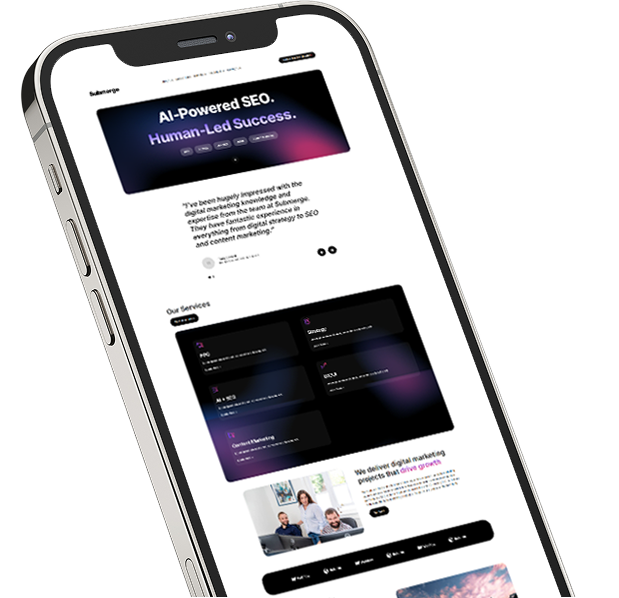
When a business redesigns its website, it’s natural for internal priorities to dominate the conversation. Different departments want their services represented properly, senior stakeholders want key messages given prominence, and established company terminology often shapes the navigation and page structure.
However, customers rarely approach a website with the same understanding of the business.
They’re not usually thinking about which department owns a particular service or how the company is structured internally. They’re trying to solve a problem, compare their options, understand whether a service is relevant to them and decide whether the business feels credible enough to contact. Customer-centric web design plays a huge role in influencing those decisions.
When executed well, customer-centric web design can also make the site easier to understand, easier to navigate, better aligned with search behaviour and more effective at moving the right visitors towards an enquiry or purchase.
What is customer-centric web design?
Customer-centric web design is the process of planning a website around what customers need to understand, find and do. That goal affects almost every part of the website, from the homepage component layout to the copy on the Contact Us page.
It influences how services are grouped, which pages deserve prominence, what appears in the navigation, how content is ordered, what language is used and which calls to action make sense at different stages of the buying journey.
A customer-centric website might contain the same core information as a company-focused one, but the difference is in how that information is organised. Instead of expecting the visitor to understand the business first and then work out where to go, the website makes the journey easier.
Why websites often become company-centric
Over time, a website can become more closely shaped by internal priorities than by the needs of the customers using it.
A new department gets a place in the navigation. Services are grouped by the teams that deliver them, and different teams use different language on their pages. New content is added wherever it fits, because changing the site’s structure feels like too much work.
As a result, the website begins to reflect the organisation’s internal logic over time.
That can feel perfectly sensible to employees because they already understand the relationships between departments, services and terminology, but a first-time visitor doesn’t have that knowledge.
For example, an IT business has internal teams called…
- Advisory
- Managed Services
- Transformation
- Solutions
- Strategic Projects
Those names may be meaningful inside the company, but they don’t necessarily tell a customer where to go if their actual question is ‘Can you reduce our IT costs?’ or ‘Can you manage our cybersecurity?’
If customers need to interpret internal department names before they can identify the relevant service, the website has introduced friction before the buying journey has even properly started.
Customer-centric web design reverses that relationship. Instead of asking visitors to learn how the business works, it uses customer needs to determine how the business should be effectively presented.
Internally focused websites vs customer-centric web design
A useful way to understand the difference is to look at possible starting points behind each design approach.
| Internally focused website | Customer-centric website |
|---|---|
| Starts with departments, internal services and company priorities | Starts with customer needs, questions and tasks |
| Uses terminology familiar to employees | Uses language customers are more likely to recognise |
| Organises pages around organisational structure | Organises pages around customer journeys and buying decisions |
| Prioritises what the business wants to communicate | Balances business messages with what customers need to know |
| Assumes visitors understand the offer | Helps visitors identify which option is relevant to them |
| Uses the same CTA repeatedly | Matches calls to action to different stages of customer readiness |
| Treats navigation as a directory of the company | Treats navigation as a tool for helping customers find the right route |
A customer-centric approach doesn’t mean ignoring how the company operates or removing important service information, as a business still needs to explain what it does, how it works and why customers should choose it.
The difference is that those messages are presented within a structure that makes sense from the customer’s perspective.
What customer-centric web design does for SEO and AI visibility
Customer-centric web design can support SEO and AI visibility because the way customers think about a problem is often closely connected to the way they search for it, whether that’s through search engines or AI tools.
A website structured around real customer questions, needs and journeys is more likely to create pages that match genuine search intent and provide the kind of clear, useful information search and AI systems can understand.
For example, if customers search for problems, outcomes or comparisons rather than internal service names, a customer-centric site is more likely to reflect that language in its navigation, headings and page content.
That can support visibility in several ways:
- Clearer search intent alignment – Pages are more likely to answer the reason behind a search rather than simply target a keyword.
- More useful site structure – Related topics can be grouped logically, helping both users and search systems understand how different pages connect.
- Stronger internal linking – Mapping customer journeys can help identify useful links between guides, service pages, case studies and conversion pages.
- More relevant language – Using terminology customers recognise can align content more closely with both traditional searches and conversational queries.
- Clearer topic coverage – Pages that explain who a service is for, what problem it solves, how it works and what customers should consider provide more useful context for AI-assisted search.
- Better use of expertise – Include practical examples, evidence and first-hand knowledge to help customers make decisions.
This doesn’t mean redesigning a website purely for search engines or trying to predict every prompt someone might enter into an AI tool.
Keyword research, technical SEO and performance data still matter. These foundations also support AI visibility, as the same SEO best practices apply to AI Overviews and AI Mode.
A good starting point is to create a website that is genuinely easy to understand and navigate.
If your webpages clearly explain what you do, who you help, what customers need to know and how different topics relate, you give people, search engines and AI systems better information to work with.
Learn more about Submerge’s search and AI strategy services.
Starting customer-centric web design with customer intent
Before deciding how a website should look or how many pages it needs, the more useful question to answer is why people are visiting it in the first place.
Different visitors arrive with different levels of knowledge and different intentions.
One person may know exactly which service they need and simply want to check whether you provide it or the cost. Another may only understand the problem they’re experiencing and need help working out what kind of solution is appropriate.
Those differences should influence the structure of the site.
A customer may want to:
- Understand what a service involves
- Find out whether you work with organisations like theirs
- Compare two possible solutions
- Check likely costs
- Review previous work
- Understand your process
- Find a location or service area
- Speak to somebody
- Make a purchase or booking
Good customer-centric web design makes those tasks easier to complete and reduces the number of assumptions the visitor has to make along the way.
Thinking in customer questions, not company statements
One of the most useful shifts is to move from first asking ‘What do we want to say?’ to ‘What does the customer need to know?’
A business may want to communicate that they provide comprehensive workplace solutions, but how does that answer a customer question such as ‘Can you manage a whole project?’ or ‘Can you work while our staff are still in the building?’
Those questions are much more useful when planning pages because they reveal the information customers need before they can make a decision. A strong service page therefore shouldn’t simply describe the company’s capabilities, but should also help the visitor move from uncertainty towards confidence.
That may mean explaining what the service includes, who it is suitable for, the problems it solves, what affects cost and what the customer needs to do next.
The page is still selling the service, but it’s doing so by answering the questions that make the purchase easier to evaluate.
Building a website structure around customer needs
Website structure is one of the areas where internal thinking can have the biggest effect on usability, both from a customer perspective and a technical one.
Businesses often organise navigation according to ownership: each department receives a section, each internal service line gets a page and new material is placed wherever it fits most neatly within that hierarchy.
The difficulty is that customers don’t usually arrive with an understanding of those internal divisions, and are often looking for a route that reflects what they’re trying to achieve.
A common scenario could be to organise your website according to internal teams. For example, a property business may label its navigation according to its internal divisions, and although that would be accurate, it doesn’t necessarily match how a potential customer frames their need.
Depending on what the business offers, customer-focused routes might include:
| Business-focused navigation | Customer-focused navigation |
|---|---|
| Commercial | Office space to rent |
| Asset Management | Manage your property investments |
| Projects | Development opportunities |
The best navigation should therefore be informed by research into customer needs and tested with users, rather than determined solely by internal ownership. Sometimes the two will align closely, but sometimes they won’t.
The important point is that internal structure shouldn’t be treated as the default simply because it’s convenient for the organisation.
Group related needs together
Customer-centric web design also means helping visitors understand how different services relate to the problem they are trying to solve.
For example, a marketing agency could separate SEO, PPC, social media and copywriting on their website, but this may not help visitors who don’t have a thorough understanding of the industry more easily answer questions such as ‘How do we get more visibility?’
However, that doesn’t mean individual service pages should disappear.
The website may also need broader routes that connect related services around customer needs, whether that’s through landing pages, guides, internal linking or clearer navigation.
This can make the site easier to understand while also helping customers discover services they may not have known they needed.
Mapping the customer journey before designing pages
Customer journeys are rarely as neat as a website sitemap.
A visitor may arrive through a Google search or AI Overview, read a guide, leave, return later through a branded search, compare a service page with a competitor and only then make contact.
That means customer-centric web design should consider how different pages support different stages of decision-making.
A simplified journey might look like:
Problem recognition → research → comparison → confidence → action
The purpose of the website isn’t to force every visitor directly from the first stage to the last, but to give them the right information at the right time so their next step easy to identify.
Early-stage customers need understanding
Some visitors are still trying to understand the problem they’re facing itself.
At this stage, a hard sales message may be less useful than clear educational content that helps them understand their issue and identify possible solutions. This would also provide your business with the opportunity to position itself as a knowledge leader on the topic, whether that’s digital marketing or HR consultancy.
Useful guides, FAQs and explanatory pages can build confidence while also creating a natural route towards relevant commercial pages.
Comparison-stage customers need detail
However, visitors who already understand the problem need different information. They may be comparing providers, checking whether a service fits their requirements or trying to understand the practical differences between available options.
At this stage, useful information may include:
- Service scope
- Pricing guidance
- Case studies
- Testimonials
- Accreditations
- Relevant experience
- Clear comparisons between options
The more difficult this information is to find, the more work the customer has to do before they can feel confident about contacting you.
Decision-stage customers need reassurance and a clear next step
Someone who has already decided that your service may be suitable shouldn’t have to hunt for a way to act, whether that’s requesting a quote, booking a consultation or making an online purchase.
At this point, customer-centric design becomes partly about removing friction.
The form should not ask for information the business does not genuinely need. Contact details should be easy to find. The CTA should explain what happens next.
A good journey gives people enough information to make progress without making the whole website feel like a sequence of sales prompts.
Discover how our audience and channel strategy services can help you.
When external web design support helps
Customer-centric web design can be difficult to do entirely from inside the business, especially if your team already has full to-do lists.
The people closest to a company naturally understand its language, teams and processes, and while that knowledge is valuable, it can also make it harder to see where customers might become confused.
From some degree of distance, external web design support can help bring together:
- Customer research
- Website analytics
- SEO data
- User journeys
- Content strategy
- Navigation
- Page structure
- Conversion goals
- Design
- Development
It helps to start with what you want to improve and how those changes will benefit your customers and your business.
Content and design work together here. The words on each page matter just as much as how easy it is to find your way around.
Start with your customers’ questions and use language they recognise. Then give them the information they need as they explore their options, with a clear next step when they’re ready.
That’s what customer-centric web design is about: making it easier for people to understand what you offer and decide whether your business is right for them.
Submerge helps businesses of all sizes plan and build websites around real customer needs rather than internal assumptions. We combine web design, content, AI visibility, SEO and conversion thinking to create structures and journeys that make sense to the people using them.

Nicole Percival
Nicole has been in the marketing and PR industries since she graduated university in 2019, but has been at Submerge since 2021. A keen reader and horror fanatic, Nicole has enjoyed writing since she was a small child, and has covered industries including consumer tech, food and beverages, business compliance, education, film and entertainment, and wellbeing.
Related Digital Marketing Resources

0 Comments13 Minutes
AI Overview tracking – how to monitor visibility and citations in Google
Learn how AI overview tracking impacts your google search visibility and turn changing AI search behaviour into stronger organic performance.

0 Comments23 Minutes
How to compare AI visibility tools to help improve your discoverability
Not all AI visibility tools suit your business. Learn how to compare features, check the evidence and choose the right tool for your team.

0 Comments22 Minutes
How to measure zero-click search beyond website traffic
Understand how to measure zero-click search beyond website traffic, track AI visibility and learn about what search contributes to your business.
If you’re not visible
nothing else matters.
Let’s understand where you stand today — and where the opportunities are.
Get in touch and let’s chat about your project.